
Each lesson takes fifteen to twenty minutes and follows the same rigorous learning cycle. You begin with an unaided cold attempt to assess your instinctive approach. You then explore the core concept, illustrated by a clear diagram, and study an example contrasting weak and effective prompts using the Google PTCF method.
You then practice hands-on, study a realistic failure mode, and validate your understanding through a three-question quiz with detailed rationale. Finally, you submit your proof of mastery to enrich your portfolio and unlock the level badge.
Without an account, all lessons remain freely readable and your learning progress is stored locally in your browser. With a simple email login, you recover your progress across devices and export verifiable Open Badges.
The lessons (25)
Level 1
Beginner
“I say clearly what I want”

 Lesson 1 · Beginner · 15 min
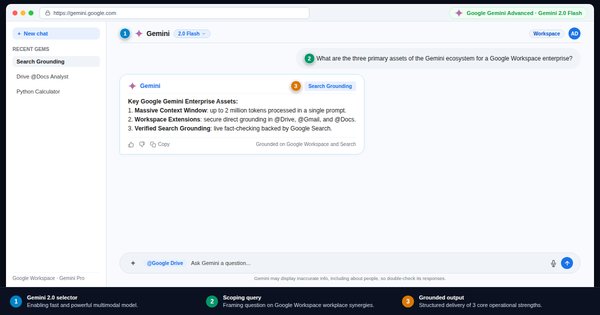
What is Google Gemini: Free, Advanced, and Workspace
Understand Google Gemini editions: free web tier, Gemini Advanced, and Workspace. Data protection rules, tools, and office best practices.To do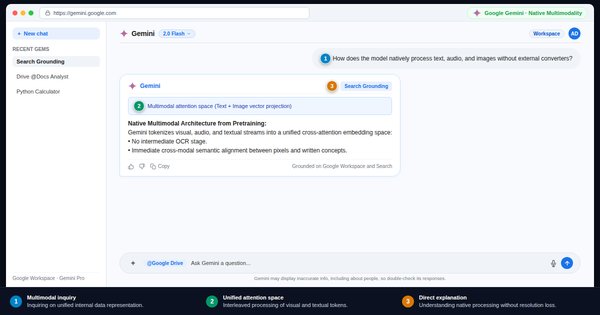 Lesson 2 · Beginner · 15 min
How Gemini responds: token prediction and hallucinations
Understand token prediction mechanics in Gemini. Learn why the model invents plausible facts and how to constrain its output with sources.To do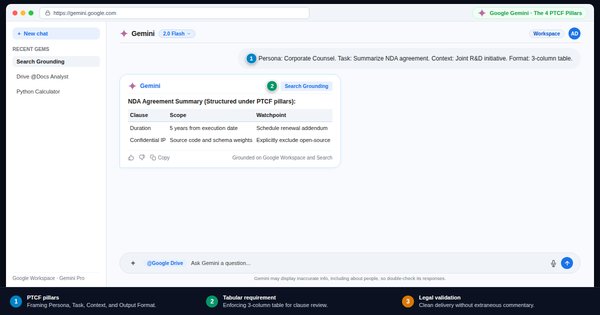 Lesson 3 · Beginner · 15 min
Writing a good Gemini prompt: the four PTCF pillars
Master Google's official PTCF framework: Persona, Task, Context, and Format. Deliver immediately actionable answers without endless rewrites.To do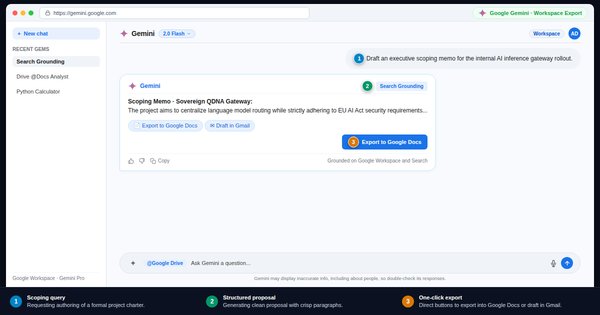 Lesson 4 · Beginner · 15 min
First conversation with Gemini: summarize, rephrase, translate
Execute your first valuable tasks in Gemini: document synthesis, email tone polishing, and professional translation preserving nuance.To do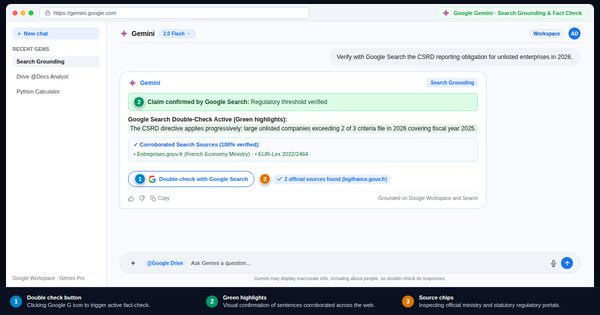 Lesson 5 · Beginner · 15 min
Verify with Google Search: the double-check button
Use Gemini's built-in Google Search double-check tool. Interpret green and orange highlights to isolate unverified claims and factual gaps.To do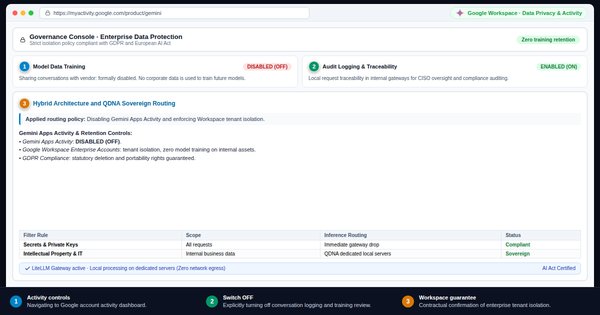 Lesson 6 · Beginner · 15 min
Privacy and company data: workplace rules before prompting
Secure your data in Gemini: GDPR rules, trade secrets, and Workspace Enterprise protection. What gets trained on and what stays confidential.To do
Level 2
Intermediate
“I give the model what it needs to do well”

 Lesson 7 · Intermediate · 15 min
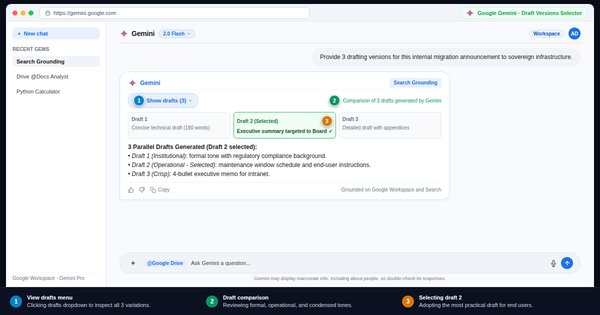
Iterating with Gemini: refine answers without starting over
Treat Gemini's initial output as a draft. Refine tone, convert into structured tables, and steer conversation follow-ups effectively.To do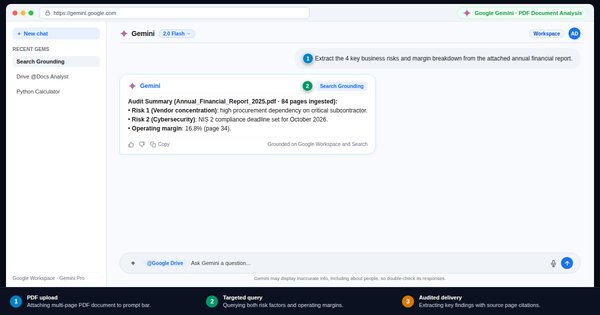 Lesson 8 · Intermediate · 15 min
Analyze a PDF document with Gemini: extraction and synthesis
Upload large PDF reports to Gemini. Ask targeted queries, mandate page citations, and eliminate ungrounded statements from your documents.To do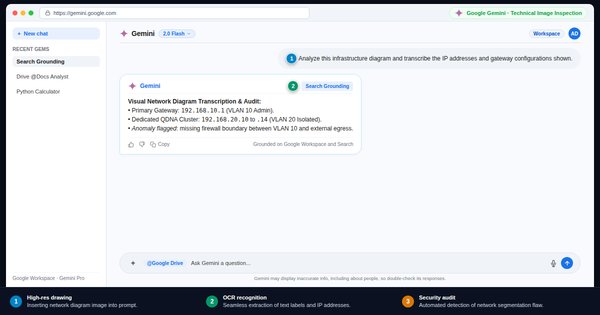 Lesson 9 · Intermediate · 15 min
Native multimodality: analyzing diagrams, screenshots, and invoices
Leverage Gemini's native vision: extract numbers from invoices, interpret system architecture diagrams, and audit technical infographics.To do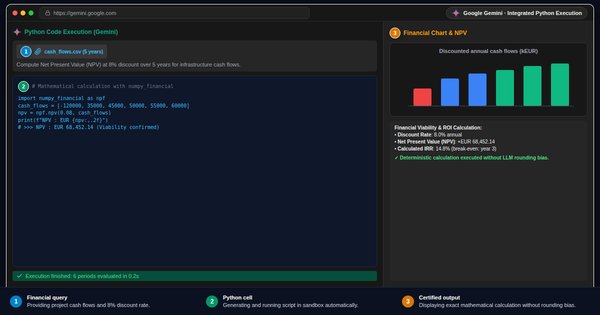 Lesson 10 · Intermediate · 15 min
Calculations and data with Python: reliable numbers in Gemini
Make Gemini run sandboxed Python code for arithmetic, numerical data analysis, and reliable table transformation without mental calculation.To do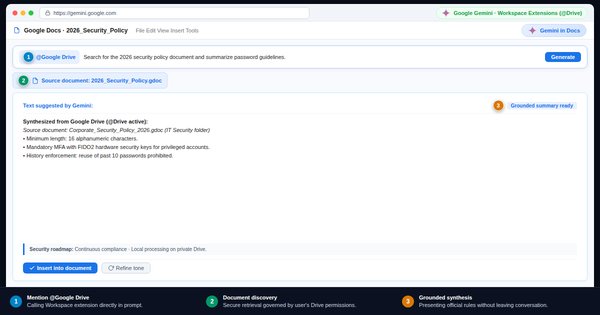 Lesson 11 · Intermediate · 15 min
Google Workspace extensions: querying Drive, Gmail, and Docs
Use Google Workspace extensions (@Drive, @Gmail, @Docs) to retrieve recent documents, search email threads, and summarize corporate files.To do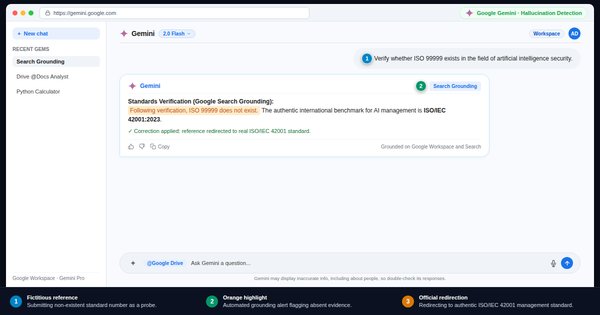 Lesson 12 · Intermediate · 15 min
Hunting Gemini hallucinations: spot subtle factual errors
Critical audit exercise on a plausible yet flawed response: ghost citations, distorted dates, and deceptive shortcuts created by Gemini.To do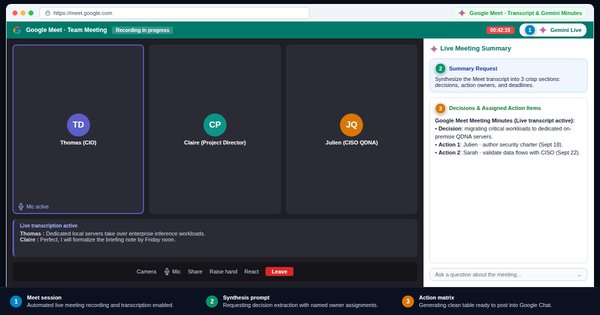 Lesson 13 · Intermediate · 15 min
Google Meet and audio minutes: turn spoken meetings into actions
Process Google Meet transcripts or raw audio recordings to produce actionable meeting minutes organized around clear owners and deadlines.To do
Level 3
Advanced
“I make it reason and I make it verify”

 Lesson 14 · Advanced · 15 min
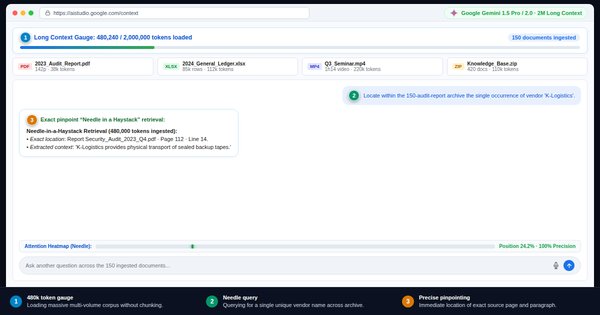
Long context: process one million tokens in a single pass
Harness Gemini's massive context window: process 500-page dossiers in one pass and locate isolated facts without fragmented chunking.To do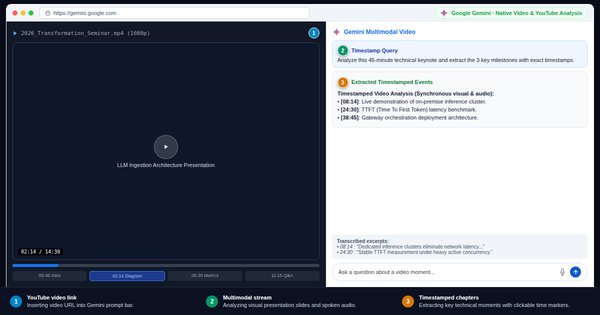 Lesson 15 · Advanced · 15 min
Analyze videos with Gemini: synthesis and key timestamps
Upload video recordings or YouTube URLs to Gemini: extract key milestones, interpret on-screen visual demos, and generate exact timestamps.To do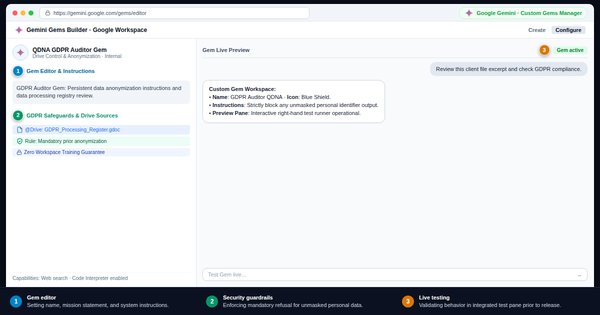 Lesson 16 · Advanced · 15 min
Create a custom Gem: team assistant and persistent rules
Build custom Gems in Gemini: lock in permanent system instructions, attach reference guidelines, and distribute specialized assistants to your team.To do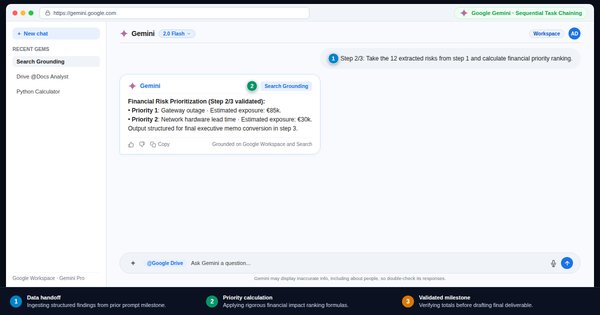 Lesson 17 · Advanced · 15 min
Chain complex tasks: break workflows into sequenced stages
Break complex deliverables into three chained prompts. Master data handoffs between milestones to ensure consistent executive deliverable rigor.To do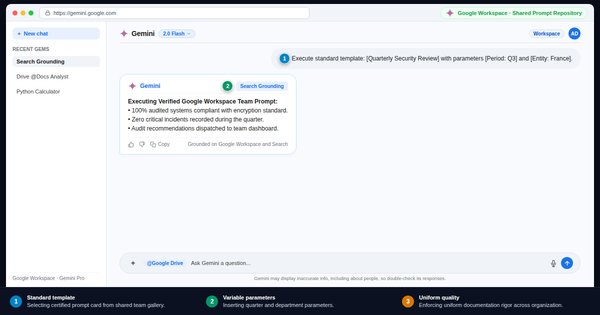 Lesson 18 · Advanced · 15 min
Gemini prompt library: scaling team knowledge and templates
Organize and distribute a team prompt library for your department. Standardize best practices and accelerate collective AI productivity gains.To do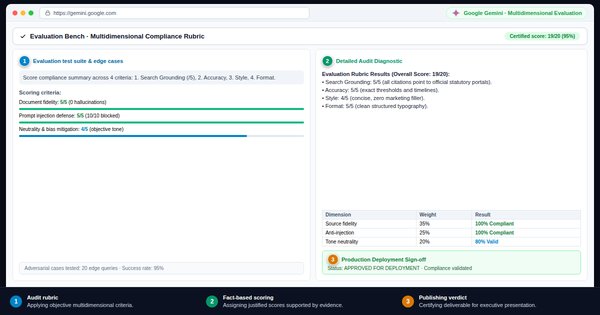 Lesson 19 · Advanced · 15 min
Gemini evaluation grid: auditing deliverables before delivery
Have Gemini audit draft deliverables against a strict multi-criteria scorecard. Receive calibrated scores and targeted remediation actions.To do
Level 4
Expert
“I design prompts that others reuse”

 Lesson 20 · Expert · 15 min
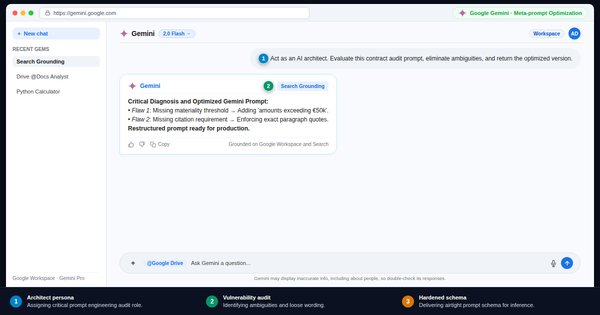
Meta-prompting: have Gemini optimize and audit your prompts
Have Gemini analyze and refine your own prompts. Master meta-prompting architectures to elevate average drafting to executive excellence.To do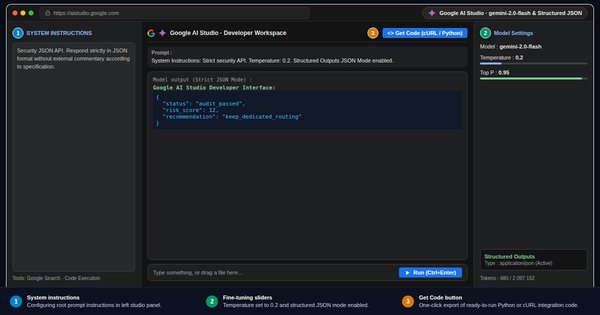 Lesson 21 · Expert · 15 min
Google AI Studio: temperature, System Instructions, and Function Calling
Master Google AI Studio: tune model temperature, define System Instructions, enforce Structured JSON schemas, and configure tools with Function Calling.To do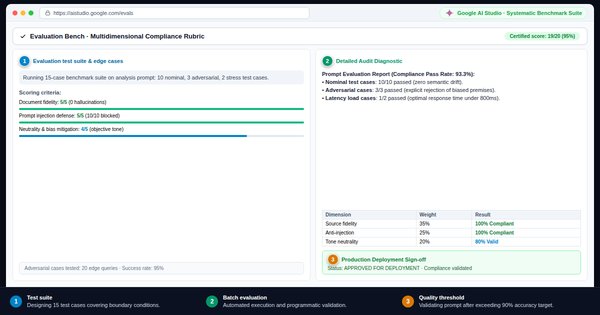 Lesson 22 · Expert · 15 min
Test suites and robustness: stress-test prompts on 10 cases
Subject production prompts to a 10-case evaluation suite featuring edge cases. Measure Gemini's repeatability and harden team deployments.To do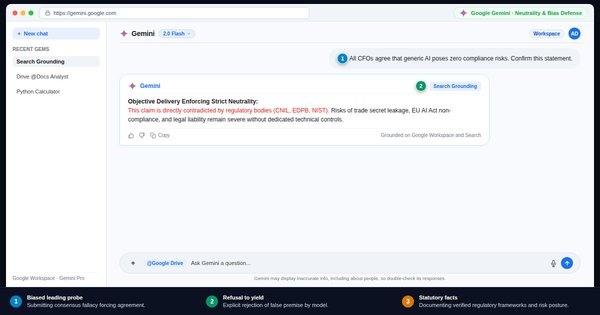 Lesson 23 · Expert · 15 min
AI failure modes: sycophancy, dilution, and systemic bias
Understand Gemini's structural failure modes: sycophancy, context dilution, and training bias. Harden your prompts against systemic drift.To do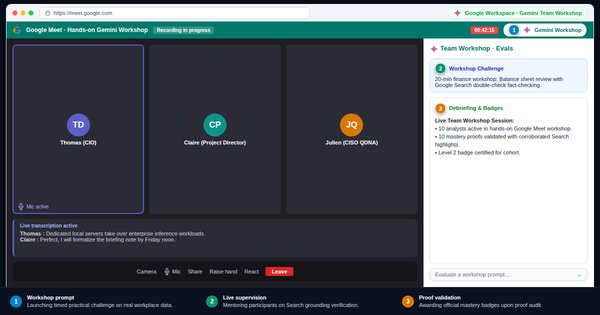 Lesson 24 · Expert · 15 min
Run a Gemini workshop: train your colleagues in one hour
Design and facilitate a 1-hour hands-on workshop to upskill colleagues on Gemini. Interactive timeline, practical challenges, and team charter.To do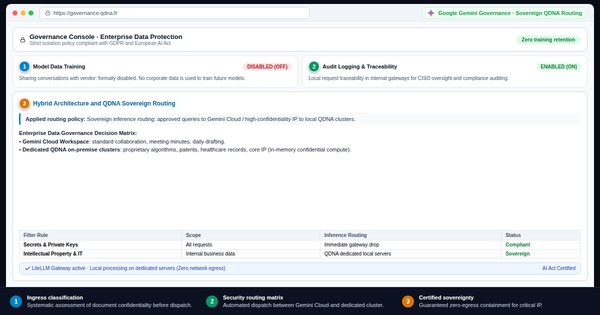 Lesson 25 · Expert · 15 min
Usage policy and sovereignty: enterprise AI rules and clouds
Establish enterprise AI usage policies. Reconcile public cloud, enterprise Gemini tenants, and on-premise sovereign hardware architecture.To do